
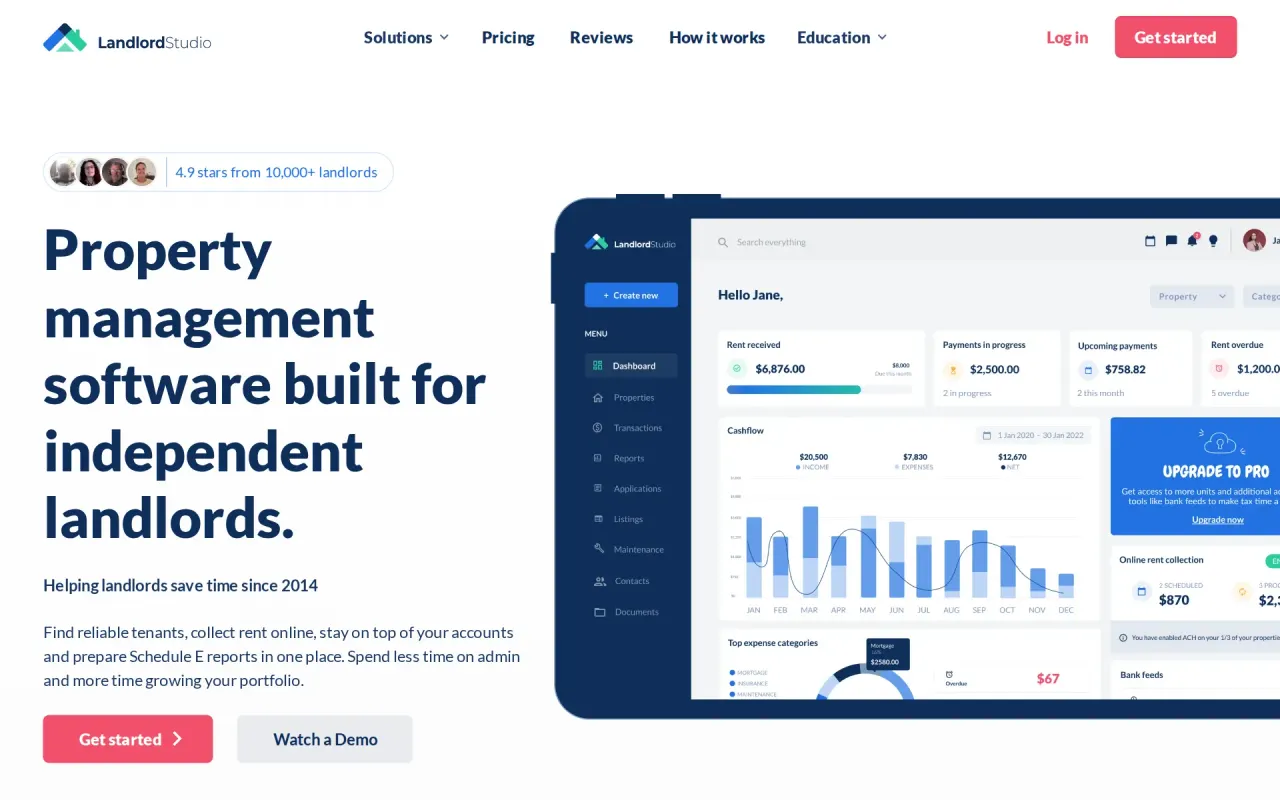
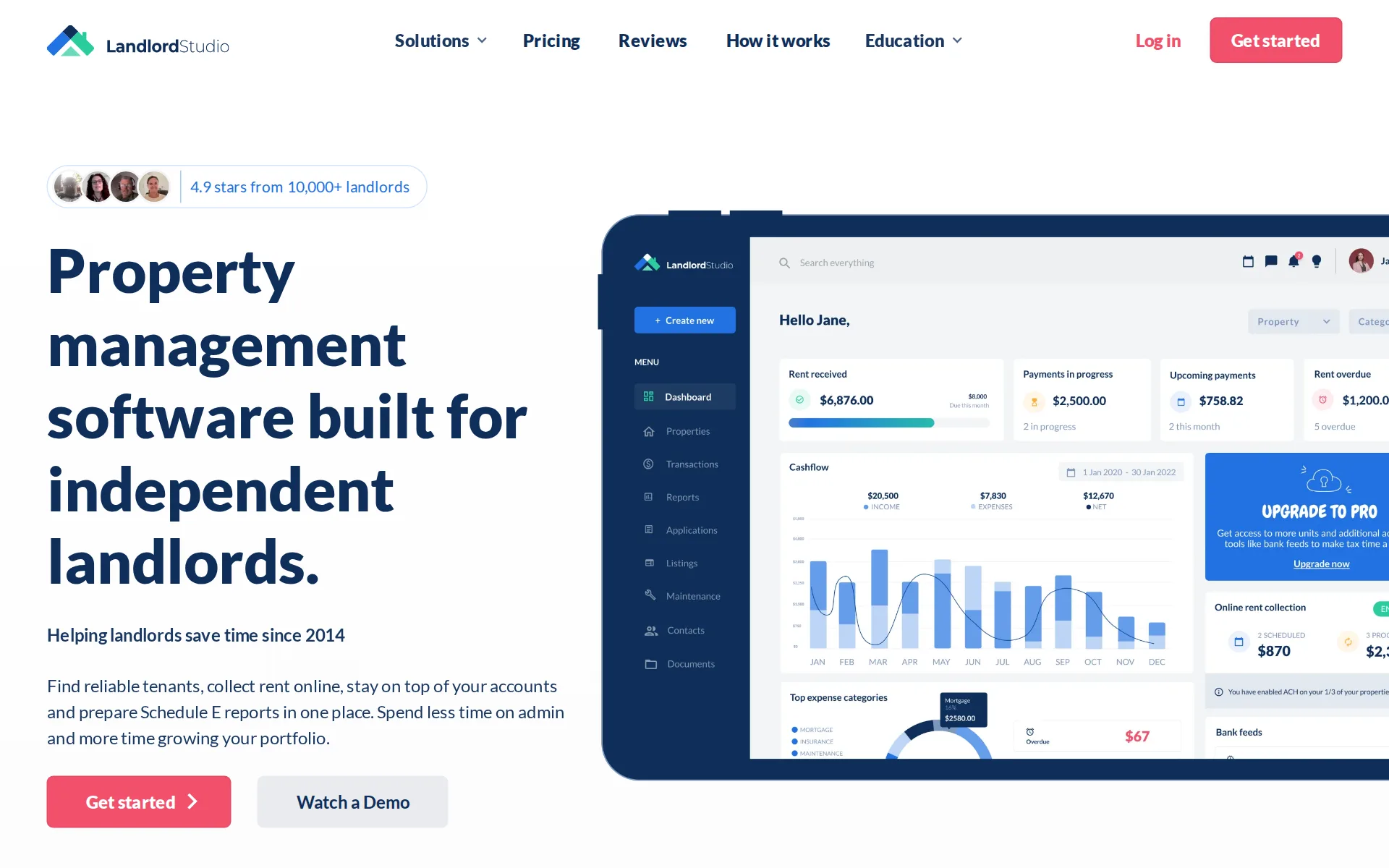
Landlord Studio price and terms
Terms
- Free plan
- YesYesThe Go plan is free for up to 3 units, one user, 10 documents and basic reports only
The terms in full
it still lists rentals, screens applicants and collects rent. A 14-day Pro trial with no card is offered on top, after which you drop back to Go.
- Sign up without sales
- YesYes
What needs a higher plan
- Pro
- Cost for 25 units a month, Cost for 5 units a month, Cost for 50 units a month
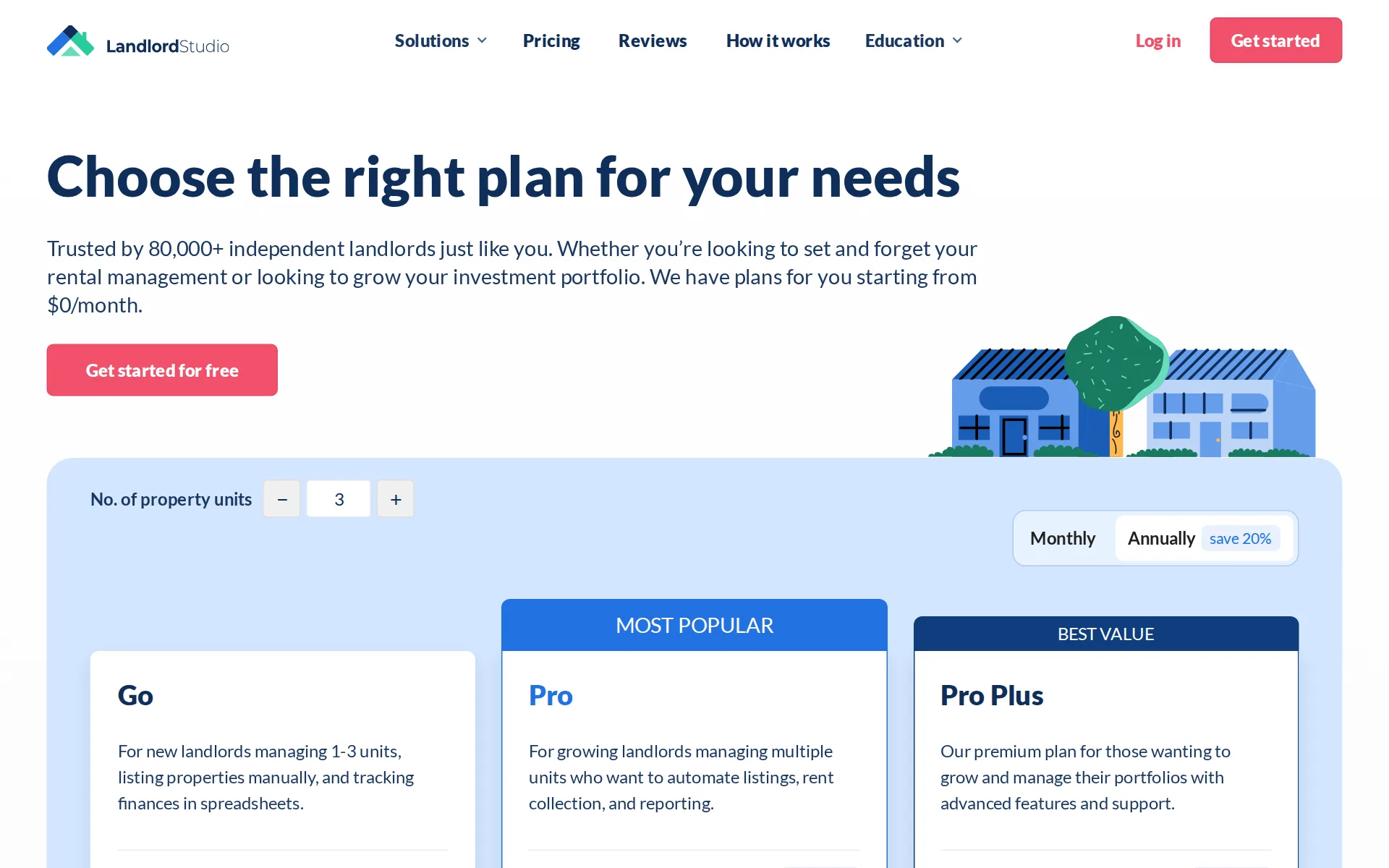
Pricing page, captured
landlordstudio.com/pricing, checked
What we checked on Landlord Studio
Cost for 25 units a month
$103.90 a month on Pro for 25 units. Every unit counts, vacant or let, unless the vendor bills only occupied units. Go ($62.50) includes 3 units; these units need 25, and past the allowance units past it cannot be added. Charged per unit: 25 × $2.50 (rent payment by bank transfer).
Pro $15.00 /mo
landlordstudio.com/pricingChecked
Cost for 5 units a month
$29.90 a month on Pro for 5 units. Every unit counts, vacant or let, unless the vendor bills only occupied units. Go ($12.50) includes 3 units; these units need 5, and past the allowance units past it cannot be added. Charged per unit: 5 × $2.50 (rent payment by bank transfer).
On the page: Plan cards, Pro card price cell, Monthly tab selected, unit counter at 3
landlordstudio.com/pricingChecked
Cost for 50 units a month
$196.40 a month on Pro for 50 units. Every unit counts, vacant or let, unless the vendor bills only occupied units. Go ($125) includes 3 units; these units need 50, and past the allowance units past it cannot be added. Charged per unit: 50 × $2.50 (rent payment by bank transfer).
On the page: Plan cards, Pro card price cell, Monthly tab selected, unit counter at 3
landlordstudio.com/pricingChecked
What the price is based on
Priced per rental unit above a built-in allowance: every plan includes three units, and each extra unit adds $1.20 a month on Pro and Pro Plus, while Go simply stops at three. The counter above the cards confirmed it, moving Pro from $15.00 at three units to $41.40 at twenty-five.
On the page: Compare plan features table, Basics section, Units Included row
landlordstudio.com/pricingChecked
Rent payment fees
Each rent payment by bank transfer costs a flat $2.50 and the vendor lets you decide whether you or the tenant carries it; a card payment costs 3.49% of the rent and the page says the tenant pays that one, with no choice offered.
ACH bank transfers cost $2.50 per payment, and you choose whether you or your tenant pays it. Card payments cost 3.49% of the payment and are paid by…
What your tenants can be charged
A tenant can be charged the screening report at $45 on Pro or $55 on Go, plus the $2.50 on each rent payment by bank transfer whenever the landlord passes that fee on, or 3.49% of the rent for every card payment; the vendor publishes no required rent-reporting charge on these pages.
Reports cost $45 on Pro or $55 on Go, and you can charge them to the applicant or pay yourself.
Minimum units or minimum fee
No floor on units and no monthly minimum a small portfolio pays in full: the vendor sells to landlords from a single unit, with Go free for one to three units and Pro's $15.00 already covering three before the per-unit charge begins.
We have plans for you starting from $0/month.
landlordstudio.com/pricingChecked
Unit caps
The free Go plan stops at three units, so a fourth unit forces an upgrade; the paid Pro plans have no stated ceiling and simply charge per extra unit.
3 units only
landlordstudio.com/pricingChecked
Promotion and regular price
yearly shown monthly: the pricing page opens with the Annually tab already selected, so the first figure a buyer sees for Pro is $12.00 a month, billed as $144 a year; the regular month-to-month price is $15.00 and Pro Plus is $35.00 rather than $28.00.
Save 20% $144 annually
landlordstudio.com/pricingChecked
Setup or onboarding fee
The vendor describes a flat monthly or annual fee with no hidden charges, and names no setup, onboarding or data-import fee anywhere on the pricing page.
You pay a flat monthly or annual fee based on the number of units you manage. No hidden fees, and you can cancel anytime.
landlordstudio.com/pricingChecked
Listing your vacancy
One click posts your listing to four named rental sites, Zillow, Trulia, HotPads and Zumper, and leads come back into a single dashboard.
US listings are syndicated free to Zillow, Trulia, HotPads and Zumper.
Online applications
Applicants apply online through the listing on every plan, including the free one, and the application itself carries no fee; only the screening report is charged.
On the page: Compare plan features table, Find & Screen Tenants section
landlordstudio.com/pricingChecked
Tenant screening
One combined report comes from TransUnion SmartMove, covering credit with a ResidentScore, a nationwide criminal search and eviction records; it costs $45 on Pro or $55 on Go, and the landlord chooses whether the applicant pays or they absorb it themselves.
Powered by TransUnion SmartMove - one of the most trusted names in credit and background checks.
Leases signed online
Leases, addendums and disclosures can be uploaded and signed online by tenants and co-signers; the vendor describes sending your own document rather than building one from a template inside the product.
Securely upload leases, addendums, inspection reports, notices, and other important rental documents in one place.
State-specific leases
Free lease templates are published state by state, but the vendor attaches a disclaimer that they are general information and not legal advice, and names no attorney review.
The content and templates provided by Landlord Studio are for general informational purposes only and do not constitute legal or professional advice.
Rent collected online
Tenants pay by bank transfer or card on every plan and the money goes to your own account, arriving in three to five business days by bank transfer.
ACH payments usually arrive within 3–5 business days and card payments within 3–4, after a successful payment.
Autopay and reminders
Tenants can switch on autopay on any plan, but the automated rent reminders that chase an unpaid month are listed only on the paid Pro plans.
On the page: Compare plan features table, Management Tools section
landlordstudio.com/pricingChecked
Late fees
Late fees are applied automatically on the schedule you set when you turn on payments, and they are collected through the same payment flow on every plan.
Automatic late fees - applied for you, so there's nothing to chase
Partial payments
Partial payments are switched off by default and you choose whether to allow them, which is exactly the control the question asks about.
Full payments only - partial payments are off unless you choose to allow them
Security deposits
Deposits are collected online alongside rent on every plan, including the free one, and recorded against the lease with the rest of the money.
On the page: Compare plan features table, Online Rent Collection section
landlordstudio.com/pricingChecked
Rent paid in cash
The vendor's own list of ways a tenant can pay is bank transfer, debit card or credit card, with no retail cash option anywhere in it.
Tenants can pay using bank transfers, debit, or credit cards depending on the setup you have enabled on your account.
Rent receipts
Tenants see their own payment history and what is due next in the portal, and the landlord can send payment receipts; the vendor does not describe an automatic receipt for each payment.
Payment history - tenants see what they've paid and what's due next
Maintenance requests
Tenants raise requests through the portal on every plan and you move each job through new, in progress and done with a priority attached.
Tenant requests - let tenants raise requests directly through the tenant portal
Work orders to contractors
You can export a job sheet as a PDF with the description and photos to send a contractor, but nothing describes paying that contractor from inside the job.
PDF job sheets - export professional job sheets with descriptions and photos
Move-in and move-out inspections
Condition reports and move-in and move-out checklists can be sent to tenants for signature and stored with the property, but no inspection tool with photo capture is described.
Use e-signatures for the records tenants need to review or acknowledge including condition reports, inventory and move-in and move-out checklists.
Income and expenses by property
Income and expenses are tracked per property, unit or room with categories arranged the way a US tax return expects, and reports can be shared with your accountant.
Property and unit-level tracking - assign every transaction to the right property, unit or even room
Schedule E report
There is a purpose-built Schedule E report, but it sits in advanced reporting: the free Go plan's basic reports explicitly leave it out.
Basic reporting excludes our Schedule E Report and Profit/Loss Summary.
Bank sync
Bank transactions import automatically through a read-only connection, but bank feeds are a paid feature: five accounts on Pro, twenty on Pro Plus, none on the free plan.
On the page: Compare plan features table, Rental Accounting section
landlordstudio.com/pricingChecked
Bank accounts from the vendor
Rent is paid into a bank account you already own and connect yourself; the vendor processes payments and does not open accounts for you or per property.
verify your identity and connect the bank account you want rent paid into
1099s
A supplier expense report totals what you paid each contractor across the year so the figures are ready for 1099 filing, but the vendor does not prepare or file the forms.
1099 ready - the Supplier Expense Report totals what you've paid each contractor and supplier for the year
QuickBooks
the vendor's own feature inventory lists no QuickBooks Online connection.
You can connect Landlord Studio with your Xero accounts. This one-way integration automatically synchronizes all transactions entered into Landlord…
Receipts
Photograph a receipt and the scanner reads it, fills in the expense and attaches the image to the right property, on every plan including the free one.
On the page: Compare plan features table, Rental Accounting section
landlordstudio.com/pricingChecked
Owner portal and statements
Properties can be assigned to owners so you can run reports owner by owner, which covers statements; no separate login for those owners is described.
By assigning an Owner to a property, you can then easily run reports by individual Owners.
Team users
Extra logins are included rather than charged per seat: one user on the free plan, three on Pro and ten on Pro Plus for the same plan price.
On the page: Compare plan features table, Basics section
landlordstudio.com/pricingChecked
Tenant app
Tenants get a portal and app on every plan where they pay rent, see their payment history and raise maintenance requests.
On the page: Compare plan features table, Maintenance Tracking section
landlordstudio.com/pricingChecked
AI features
The AI writes a listing headline and description from your property details, and the paid plans add AI-assisted bookkeeping; nothing claims an AI that answers tenants.
AI-written listings - a headline and description generated from your property details in minutes
Free plan or trial
Go is a standing free plan, not a trial, but it stops at three units, one user and ten documents; the money still moves through your tenants, who pay 3.49% on a card, or the $2.50 bank-transfer fee if you pass it on, and $55 for a screening report on this plan.
Go. For new landlords managing 1-3 units, listing properties manually, and tracking finances in spreadsheets. Free
landlordstudio.com/pricingChecked
Sign up without a sales call
You register and start on your own with no card and no sales call, and the trial of the paid plan is self-serve too; a recorded demo is optional.
You can start with a 14 day FREE trial of the Pro plan (no credit card required) to explore all the premium features before making a decision.
landlordstudio.com/pricingChecked
Contract and cancelling
Monthly and annual billing are both offered with no long-term commitment, and the vendor states you can cancel or downgrade at any time.
There are no long-term commitments. You can cancel or downgrade your plan anytime, and you'll still have access to your data.
landlordstudio.com/pricingChecked
Support
Support is by email, chat and a knowledge base, with faster queues on Pro and a named account manager on Pro Plus; no opening hours are published.
Our customer support team is here to help via email, chat, and our knowledge base. Pro users also get priority support for even faster responses.
landlordstudio.com/pricingChecked
Getting your data out
Reports export as spreadsheet files and PDFs on the paid plans and PDF only on the free one; no whole-account export of tenants, leases and ledgers is described.
On the page: Compare plan features table, Reporting section
landlordstudio.com/pricingChecked
Property types
The vendor names single-family, multifamily, student housing, rent by room, affordable housing, short-term rentals, mobile home parks, commercial and military rentals as the types it is set up for.
Multifamily Duplexes to apartment buildings, tracked unit by unit for multifamily investors
Still sold
live: the product is on sale today with open self-serve sign-up, a 2026 copyright line and pages updated in the past week.
Trusted by 80,000+ independent landlords just like you.
landlordstudio.com/pricingChecked
Landlord Studio alternatives
All 9 alternatives6 more alternatives
All 9 publish a price.
- DoorLoopFrom $239 a monthAI agents answer tenants, run repairs and renewals inside the same system holding your leases and books.
- HemlaneFree, then $36.50 a monthRental management software with optional 24/7 repair coordination and leasing help, priced per unit.
- BaselaneFree, then $20 a month billed annuallyLandlord banking, rent collection and bookkeeping for rental property owners in one account.
- StessaFree, then $15 a monthFree rental bookkeeping, banking, leasing and rent collection for US residential landlords.


Sources and changes
Last changed
Sources11
- landlordstudio.com/pricing
- landlordstudio.com/features/online-rent-collection
- help.landlordstudio.com/en/articles/6098699-feature-breakdown
- landlordstudio.com/features/e-sign
- landlordstudio.com/features/find-tenants
- landlordstudio.com/features/property-maintenance
- landlordstudio.com/features/rental-accounting
- landlordstudio.com/features/tenant-screening
- landlordstudio.com/features/tax-reporting
- landlordstudio.com/landlord-tenant-laws/california-lease-agreements
- landlordstudio.com/property-type
Is this yours?
Own this product? Claim the page free to see who reads it and show it is yours. You confirm it with an email at landlordstudio.com.
Report an error if a fact is wrong.